
Integration · Files and storage
 Wavelength
 Dropbox
 integration
Pick a transcript, recording, or diagram in Dropbox. Wavelength builds the flow, and you can save exports back to Dropbox.
Every plan, including Free. The free plan needs no card.
 ▶ Watch the demo
What you can do
Map a call from its recording
Pick the call recording or transcript in Dropbox. Wavelength transcribes it and builds the flow.
Import a diagram you already have
Pick a Visio, draw.io, or Mermaid file in Dropbox. Wavelength opens it as an editable flow.
Keep exports with the project files
Save the PNG, PDF, Mermaid, draw.io, or PowerPoint export straight into a Dropbox folder.
See it in action
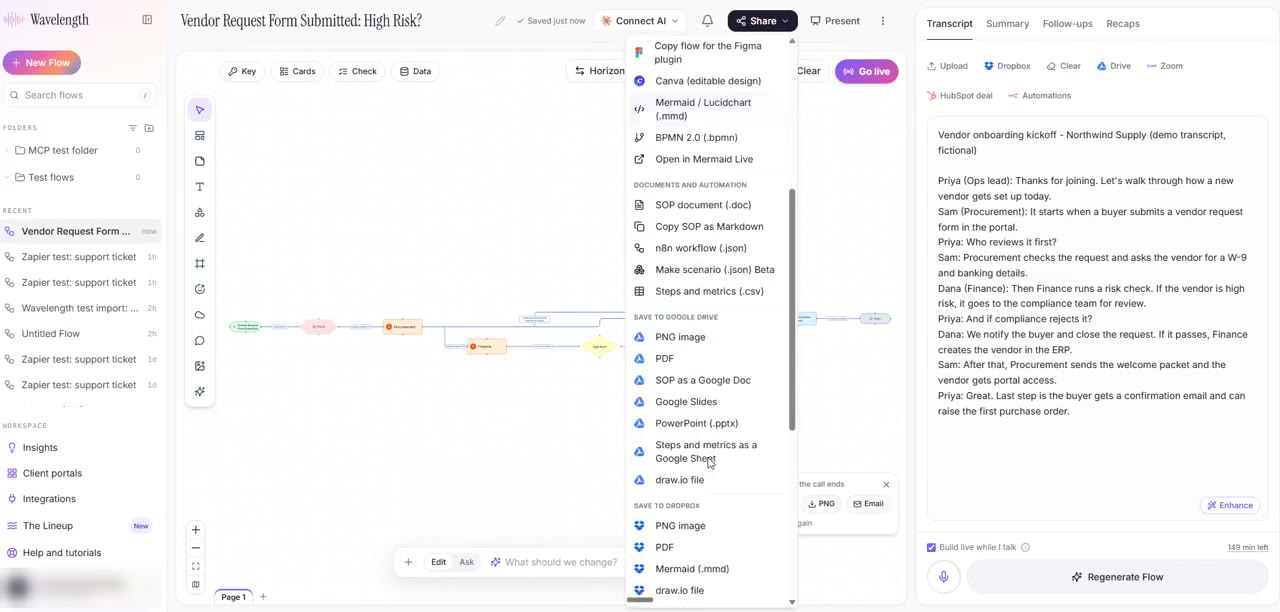
Watch a short demo: a transcript in Dropbox becomes a flow, and the flow goes back to Dropbox as a PDF.
This demo uses a real Wavelength account, a real Dropbox account, and a fictional transcript.
How it works
- In the transcript panel, click Dropbox next to Upload. You can also click the + button in the prompt box, then Choose from Dropbox.
- Sign in to Dropbox in the window that opens, then pick one or more files.
- Wavelength reads the files the same way as an upload and builds the flow.
- To save an export, open Share, then Save to Dropbox, pick the format, and choose the folder.
Worked example
A solution architect keeps call recordings in a shared Dropbox folder:
"Pick last Tuesday's discovery call recording from the Acme folder."
What lands in Wavelength
- The recording transcribed and saved as the transcript of the flow.
- A flow with the systems, people, and decisions that the call names.
- A PNG and a Mermaid export saved back to the same Acme folder.
- Upload minutes counted on the cheaper upload meter, not live mic minutes.
Who uses this
- Solution architects: Turn recorded calls in Dropbox into architecture flows.
- Operations and SOP writers: Keep SOP diagrams next to the documents in Dropbox.
Security and permissions
Wavelength uses the official Dropbox Chooser and Saver. You sign in to Dropbox in a Dropbox window. Wavelength never sees your Dropbox password and stores no Dropbox token.
Wavelength reads only the files that you pick. To save an export, Wavelength makes a private link that works for 10 minutes and deletes the file from its server within 1 hour.
Organization admins can block Dropbox for the whole organization in Admin, then Integrations.
Read the Trust Center and the subprocessor list for how Wavelength handles your data.
Common questions
Does Wavelength integrate with Dropbox?
Yes. Pick transcripts, recordings, or diagrams in Dropbox to build flows, and save flow exports back to Dropbox.
Can Wavelength see all my Dropbox files?
No. Wavelength gets only the files that you pick in the Dropbox window.
Which file types work?
Text, Markdown, VTT, SRT, PDF, Word, Visio, draw.io, Mermaid, images, and audio or video recordings.
Which Wavelength plans include Dropbox?
Every plan, including Free.
 Google Drive
 Notion
 Zoom