
Integration · Documents and slides
 Wavelength
 Confluence
Wavelength for Confluence
Put the process you mapped on a call into the Confluence space where your team keeps its documentation.
Every plan, including Free. The free plan needs no card.
What it does
Process knowledge is only useful when the team can find it. Connect Confluence once. Then open any flow, click Export, and pick Save to Confluence.
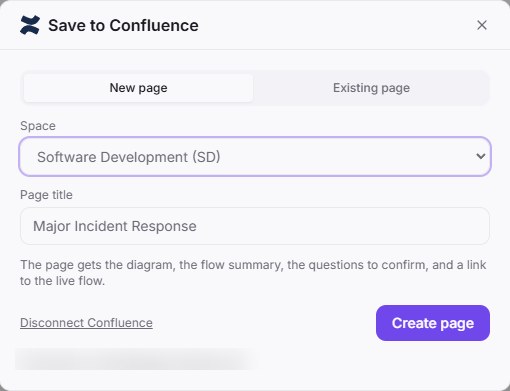
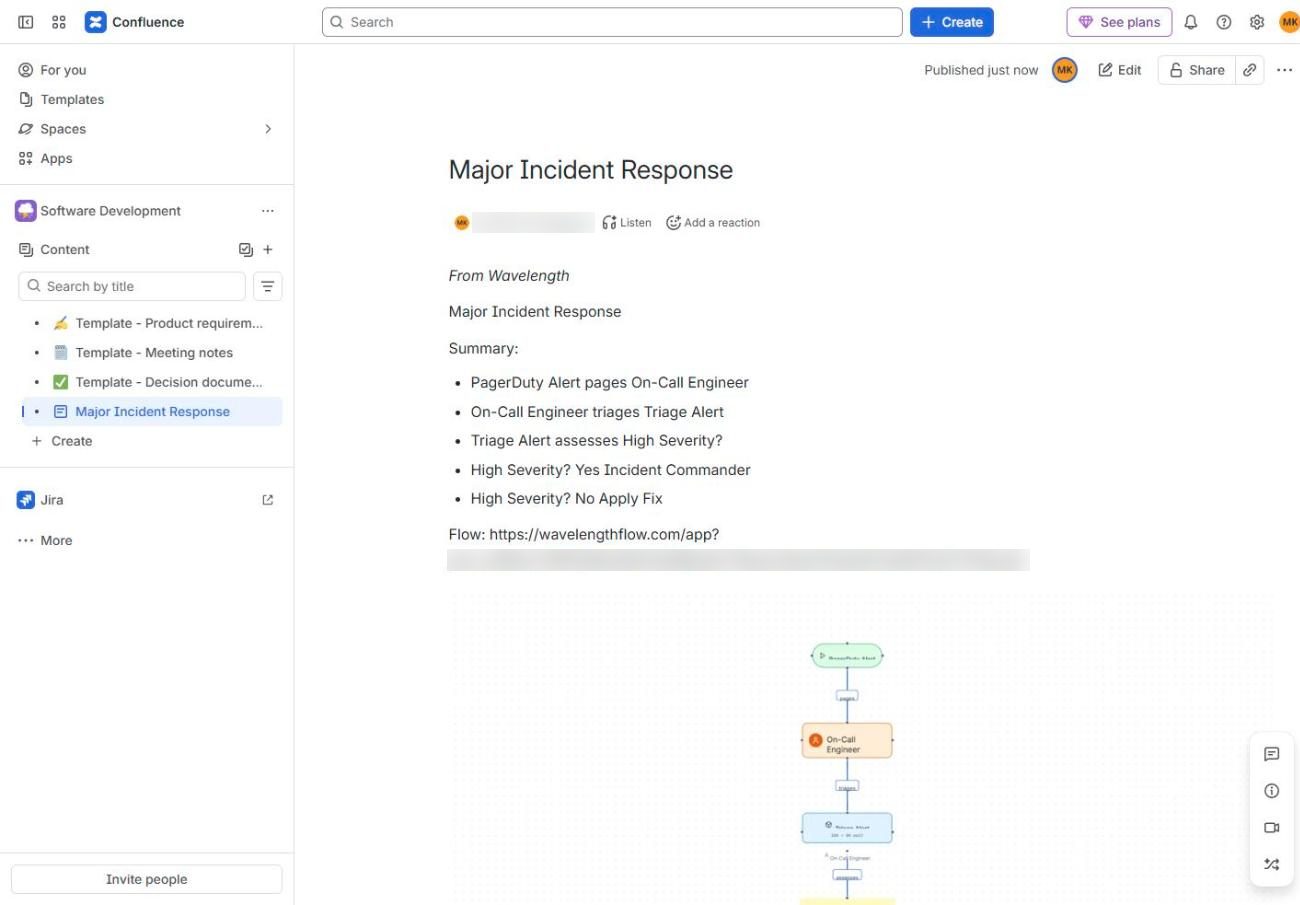
Pick a space and a title. Wavelength creates the page with the summary, the questions to confirm, the diagram, and a link to the live flow. You can also add the same section to the end of an existing page.
See it in action
These screenshots come from a real Wavelength account and a Confluence Cloud site.
What you can do
- Create a page in any space you can edit, including your personal space.
- Put the diagram on the page as an image, with the summary, the questions to confirm, and a link to the live flow.
- Search pages by title, and add a flow to the end of an existing page.
- Disconnect at any time in Settings, then Connected apps.
How to connect
- In Wavelength, open Settings, then Connected apps, and click Connect next to Confluence. You can also start from Export, then Save to Confluence.
- Sign in to Atlassian, pick your site, and click Accept.
- Open a flow, click Export, then Save to Confluence.
- Pick a space and a title, then click Create page.
Access and privacy
Wavelength asks for permission to read your spaces, to search, read and write pages, to add attachments, and for a refresh token, so the connection stays on. It uses them to list your spaces, search the pages you look for, and create or update the pages you save to. It stores the tokens encrypted. Disconnect in Settings, then Connected apps. You can also remove the app in your Atlassian account settings, under Connected apps.
Common questions
Does Wavelength work with Confluence?
Yes. Wavelength saves a flow as a new Confluence page with the diagram, the summary, the questions to confirm, and a link to the live flow. It can also add the same section to the end of an existing page.
Which Confluence works with Wavelength?
Confluence Cloud. Confluence Data Center and Confluence Server are not supported.
Which spaces can I save to?
Any space you can create pages in, including your personal space.
Do Jira and Confluence need separate connections?
Yes. Each one has its own Connect step, so you can use one without the other.
Which plans include Confluence?
Every plan, including Free.
 Jira
Jira Notion
 Slack
Slack Google Drive