
Integration · Design tools
 Wavelength
Figma and FigJam integration
Put the process from the call next to your designs. Copy a flow and paste it in Figma or FigJam as editable layers, or import it with the Wavelength plugin.
 Figma Community pluginIn review at Figma
Every plan, including Free. The free plan needs no card.
 ▶ Watch the demo
What you can do
- Copy any flow and paste it in Figma or FigJam as editable layers.
- Each step is its own group with a shape and a text layer, named after the step.
- Connector lines keep their arrows and labels. Unconfirmed links stay dashed amber.
- If the browser blocks the clipboard, Wavelength downloads an .svg file. Drag it onto the Figma canvas.
- Import a flow with the Wavelength plugin. In FigJam, each step becomes a shape with text and each link becomes a connector. In Figma Design, each step becomes a frame with a text layer.
See it in action
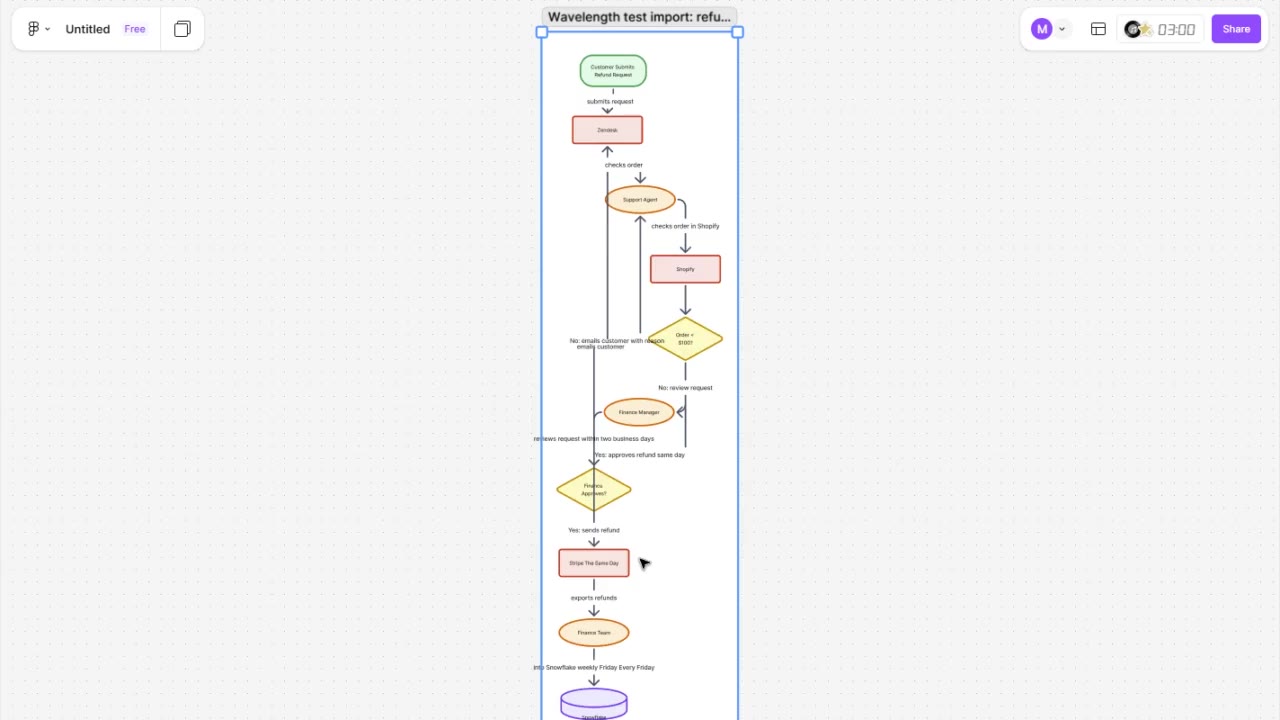
Watch a short demo: a flow goes from Wavelength to FigJam with the Wavelength plugin.
This demo uses a real Wavelength account, a real FigJam file, and a sample refund approval flow.
How it works
- Open a flow in Wavelength.
- Open Share, then More formats, then pick Figma or FigJam (copy, then paste).
- Open a Figma or FigJam file and press Ctrl+V (Windows) or Cmd+V (Mac).
- Restyle the shapes with your design system, or add the flow to a product spec.
To use the plugin, open Share, then More formats, then Copy flow for the Figma plugin. In Figma or FigJam, run the Wavelength plugin, paste the flow, and click Import flow.
Who uses this
Product designers and product managers use it to put the process from a discovery call next to the screens that serve it. Solution architects use it to drop the agreed flow into a customer design review.
Security and permissions
Wavelength does not connect to your Figma account. The flow goes through your own clipboard. The Wavelength plugin reads only the text that you paste. It makes no network requests. Organization admins can turn this export off in the admin console, under Integrations.
Common questions
Does Wavelength work with Figma?
Yes. In Share, then More formats, pick Figma or FigJam. Wavelength copies the flow. Paste it in a Figma or FigJam file, and the shapes, text, and lines stay editable.
Does it work in FigJam too?
Yes. The same copy pastes into FigJam and into Figma Design files.
Do I need a Figma plugin?
No. The copy and paste works with any Figma account, including the free Starter plan. The Wavelength plugin is an option. It draws native FigJam shapes and connectors. Figma reviews the plugin before it goes live in the Figma Community.
Which plans include it?
Every Wavelength plan, including Free.