
Integration · Diagram tools
 Wavelength
 Lucidchart
Wavelength for Lucidchart
Bring your Lucidchart diagrams into Wavelength, and send flows back.
Every plan, including Free. The free plan needs no card.
What it does
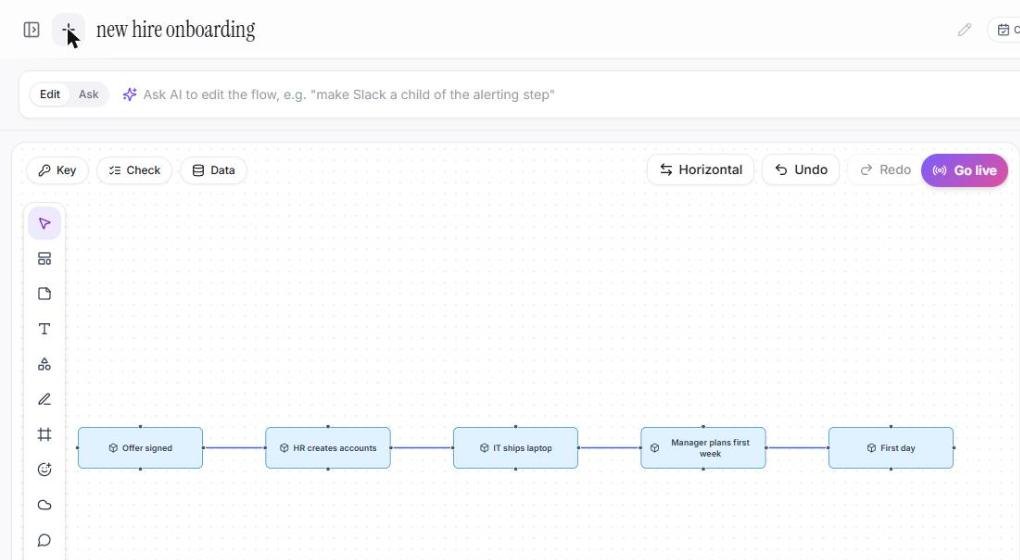
Download a Lucidchart diagram as a Visio (.vsdx) file and upload it to Wavelength. Each file becomes a flow that you can edit by voice, with a prompt, or by hand.
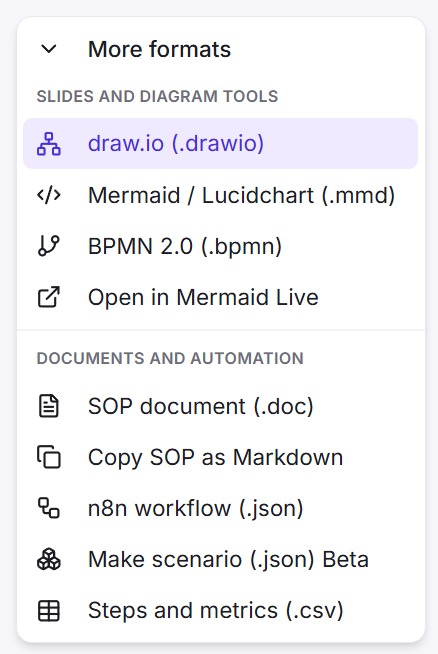
To go the other way, export the flow as a .drawio file. Lucidchart can open .drawio files.
See it in action
These screenshots come from a real Wavelength account.
What you can do
- Import Lucidchart diagrams as Visio .vsdx files.
- Import several files at once. Each file becomes a new flow.
- Edit the imported flow by voice, with a prompt, or by hand.
- Export a flow as a .drawio file to open in Lucidchart.
How to connect
- In Lucidchart, download the diagram as a Visio (.vsdx) file.
- In Wavelength, open the transcript panel and click Upload.
- Pick the .vsdx file. The diagram opens as an editable flow.
- To send a flow back, open Export and pick draw.io / Lucidchart (.drawio).
Access and privacy
The import runs in your browser and makes no AI call. Wavelength does not connect to your Lucidchart account.
What comes across in the import
- Each shape with text becomes a node, and each connector becomes a link with its label.
- Diamonds, and labels that end with a question mark, become decisions.
- Cylinders become data stores. Person shapes become actors. Server and cloud shapes become systems.
- A long label is shortened on the node. The full text stays in the node note.
- The flow is laid out again in process order. Exact positions and colors are not kept.
The import runs in your browser and makes no AI call, so it does not count against a plan limit. You can pick up to 50 files at once. Each file becomes its own flow.
Move a Lucidchart library
- In Lucidchart, download each diagram as a Visio (.vsdx) file.
- In Wavelength, open the transcript panel, click Upload, and pick all the files.
- Open each new flow. Say what changed since the diagram was drawn, and Wavelength updates it.
- Put the flows in folders by project or by client.
The full guide is switch from Lucidchart. For a side by side view of the two tools, read Wavelength vs Lucidchart.
Common questions
Can I import Lucidchart diagrams?
Yes. Download the diagram from Lucidchart as a Visio .vsdx file and upload it to Wavelength.
Can I open a Wavelength flow in Lucidchart?
Yes. Export the flow as a .drawio file, then import that file in Lucidchart.
Does Wavelength connect to my Lucidchart account?
No. You move diagrams with files.
Which plans include Lucidchart import and export?
Every plan, including Free.
 draw.io
 Mermaid