
Integration · Diagram tools
 Wavelength
Microsoft Visio import
Turn old Visio process maps into flows you can edit by voice, with no Visio license.
Every plan, including Free. The free plan needs no card.
What you can do
Refresh a legacy process map
Upload the .vsdx file and say what changed. The flow updates in place.
Read cloud architecture diagrams
AWS, Azure, and Google Cloud shapes become system nodes, and a VPC box becomes a group.
Re-export in a modern format
Send the updated flow out as PNG, PDF, PowerPoint, draw.io, or BPMN.
See it in action
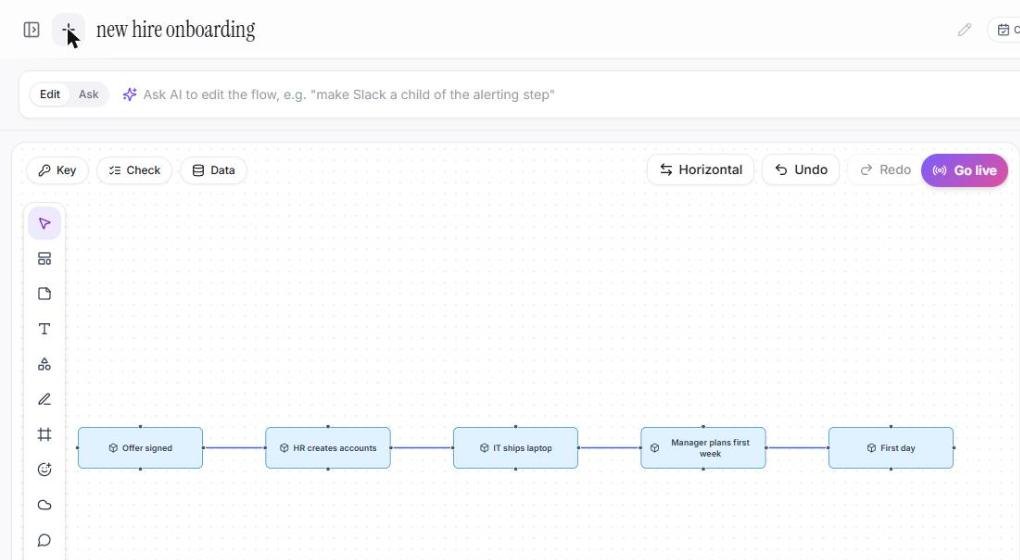
This screenshot comes from a real Wavelength account.
How it works
- In Wavelength, open the transcript panel and click Upload.
- Pick one or more .vsdx files. You can also pick them from Google Drive.
- Each file opens as an editable flow.
- Edit by voice or by hand, then export.
Worked example
A compliance lead uploads a 2019 Visio map of access reviews and says:
"Managers now approve access in ServiceNow, and quarterly reviews moved to the identity team."
What lands in Wavelength
- Each Visio shape with text as a node, typed by its master and text.
- Glued connectors as links. Loose connectors attach to the shape under each end.
- Long labels shortened on the canvas, with the full text in the step note.
- Your spoken change applied: ServiceNow added as a system and the review step moved to the identity team.
How the import reads a .vsdx file
- Wavelength opens the .vsdx file in your browser and reads each shape and each connector.
- A connector that is glued to two shapes becomes a link. For a loose connector, Wavelength uses the shape under each end of the line.
- Each shape gets a node type from its master and its text. A diamond becomes a decision. A cylinder or a database becomes a data store. A person or an actor becomes an actor. A server, or an AWS, Azure, or Google Cloud shape, becomes a system. A terminator with Start or End text becomes a start or an end. Text that ends with a question mark becomes a decision. All other shapes become steps.
- A box with no lines of its own that holds other shapes, such as an AWS Cloud or a VPC boundary, becomes a group. The shapes inside it go into the group.
- A long label is shortened on the canvas. The full text goes into the step note.
Who uses this
- Consultants: Use the client's Visio estate as the starting point for the current-state review.
- Operations and SOP writers: Update SOP diagrams without a Visio license.
Security and permissions
Wavelength reads the .vsdx file in your browser. The file is not sent to an AI model, and no Microsoft account is needed.
Only spoken or typed edits after the import use AI. Wavelength does not train AI models on your content.
Read the Trust Center and the subprocessor list for how Wavelength handles your data.
Common questions
Can Wavelength open Visio files?
Yes. Upload a .vsdx file and it becomes an editable flow.
Do I need Visio installed?
No. The import runs in your browser.
Can I import many files at once?
Yes. Pick up to 50 .vsdx files. Each file becomes a new flow, up to the flow limit of your plan.
Can I export back to .vsdx?
No. Export to draw.io, BPMN, PowerPoint, PNG, or PDF instead.
Which plans include Visio import?
Every plan, including Free.
 Lucidchart
 draw.io (diagrams.net)