
Integration · CRM and sales
 Wavelength
 Salesforce
Salesforce integration
Put the process the customer described on the Opportunity, where your team plans the deal.
Every plan, including Free. The free plan needs no card.
What you can do
Record discovery on the Opportunity
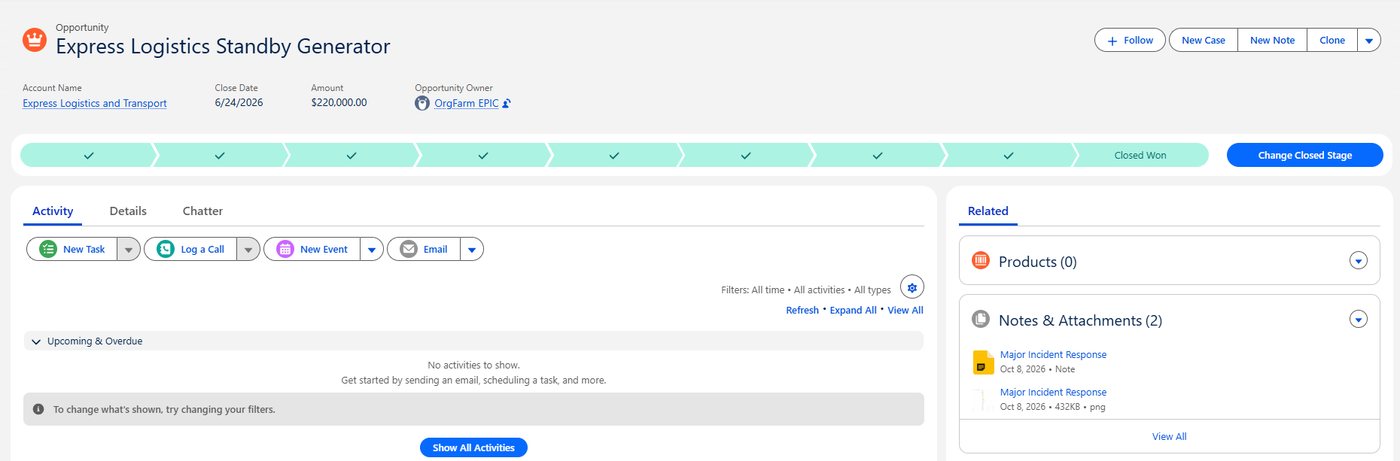
Attach the flow after the call. The diagram file and the note sit on the record.
Give the account a process history
Attach flows to the Account so every new deal starts from what you already know.
Test in a sandbox first
Tick "My org is a sandbox" and connect a sandbox org before production.
See it in action
These screenshots come from a real Wavelength account and a Salesforce Developer Edition org with sample data.
How it works
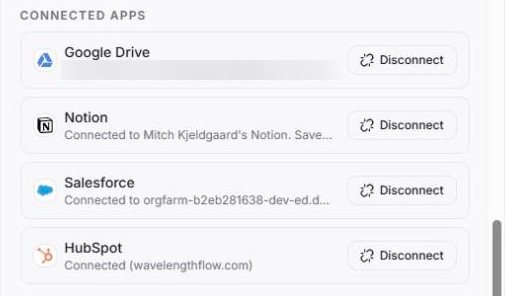
- In Wavelength, open Settings, then Connected apps, and click Connect next to Salesforce. You can also start from Export, then Attach to Salesforce.
- Sign in to Salesforce and click Allow.
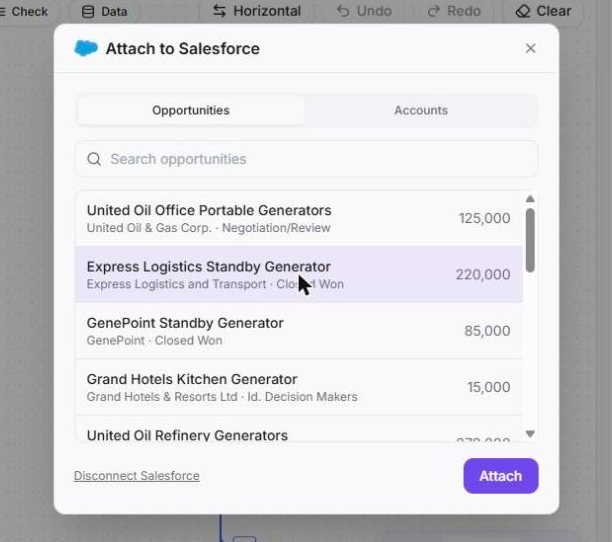
- Open a flow, click Export, then Attach to Salesforce.
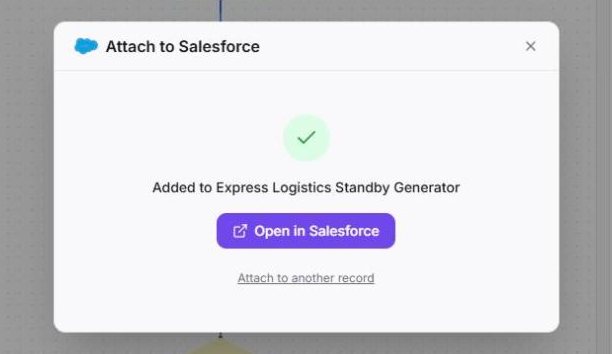
- Search Opportunities or Accounts by name. Up to 15 records show, most recently changed first. Pick one and click Attach.
Worked example
A manufacturing prospect describes order entry on a discovery call:
"Distributors email orders. Customer service re-keys them into SAP. Rush orders need plant approval."
What lands on the Salesforce record
- A file with the diagram as a PNG, titled with the flow name.
- A note titled with the flow name that starts with "From Wavelength".
- The summary lines and questions to confirm, such as "What happens when the answer to 'Rush order?' is no?"
- On Pro and higher plans, a link that lets teammates open the flow. On Free, the link is left out.
Who uses this
- Sales engineers: Keep the customer's current state on the Opportunity for the solution review.
- RevOps teams: Make discovery output part of the deal record, not a slide in a folder.
Security and permissions
Wavelength asks Salesforce for three scopes: api, refresh_token, and id. It uses them to search the records you look for and to add the file and the note you attach. The sign-in uses the OAuth web server flow with PKCE.
Tokens are stored encrypted. Disconnect in Settings, then Connected apps. Wavelength also revokes the token in Salesforce when you disconnect.
Read the Trust Center and the subprocessor list for how Wavelength handles your data.
Common questions
Does Wavelength work with Salesforce?
Yes. Wavelength attaches a flow to an Opportunity or an Account: the diagram as a file, and a note with the summary and the questions to confirm. On Pro and higher plans, the note also links to the flow.
Which Salesforce records can I attach to?
Opportunities and Accounts.
Does my Salesforce edition work?
Your org must allow API access. If it does not, Wavelength shows a message that tells you to ask your Salesforce admin.
What if Enhanced Notes are off?
Wavelength adds a classic Note to the record instead.
Which plans include Salesforce?
Every plan, including Free. The link to the flow in the note needs Pro or higher.
 HubSpot
 Gong
Gong Jira
Jira