
Integration · Process and automation
 Wavelength
 Zapier
Zapier integration
Send a flow to Zapier and route it to the tools Wavelength does not connect to directly.
Every plan, including Free. The free plan needs no card.
What you can do
Create a task for each open question
Loop over the questions list in a Zap. Make one task per question in your task tool.
Log every mapped process in a sheet
Add a row with the title, the link, and the node count each time you send a flow.
Update a CRM that has no connector
Map the summary lines into a note field through Zapier.
See it in action
Watch a short demo of a Zap that runs Wavelength steps.
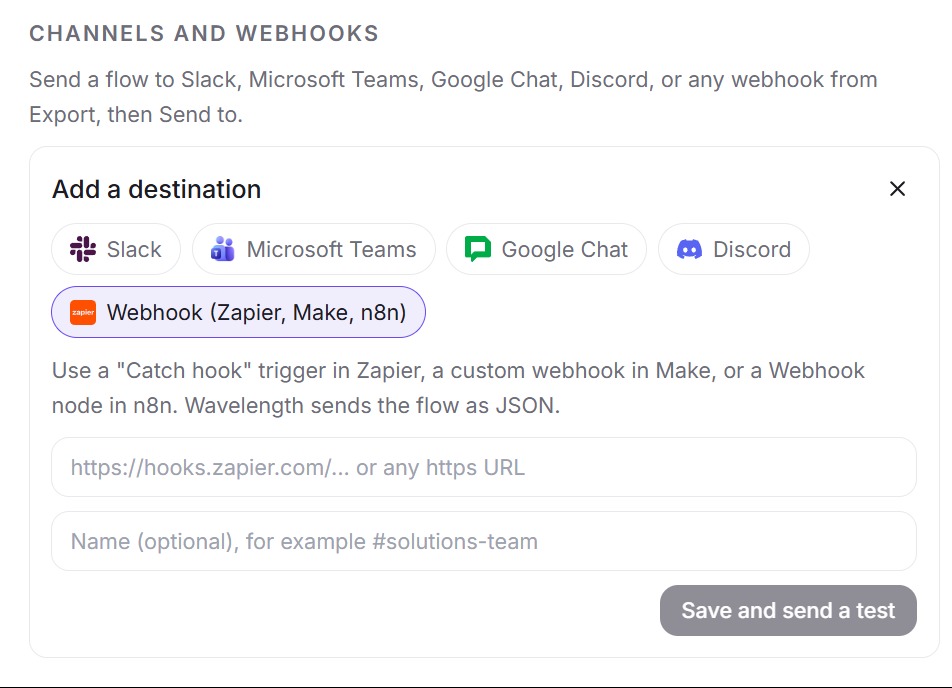
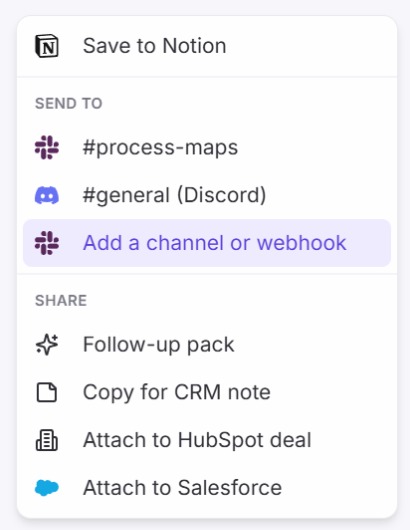
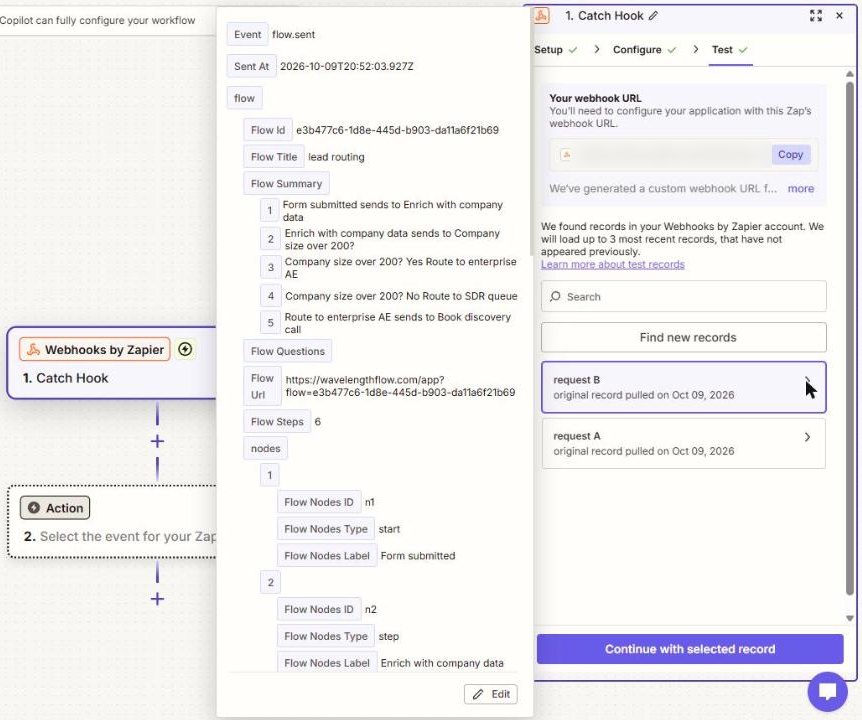
These screenshots come from a real Wavelength account and a Zapier Catch Hook.
How it works
- In Zapier, create a Zap with the Webhooks by Zapier trigger and the Catch Hook event. Copy the webhook URL.
- In Wavelength, open Settings, then Channels and webhooks, then Add. Pick Webhook (Zapier, Make, n8n) and paste the URL.
- Wavelength sends a test event. The test holds only a title, so send one real flow next to load every field into Zapier.
- Build the action steps in Zapier with the fields from that flow.
Worked example
A legal ops lead describes contract review:
"Sales sends the contract to legal. Legal redlines it and returns it. If the customer pushes back, the GC decides."
What Zapier receives
- event "flow.sent" and a sent_at time.
- flow.title "Contract review", flow.url, and flow.steps.
- flow.summary and flow.questions as lists of text.
- flow.nodes and flow.edges with ids, types, and labels.
- flow.mermaid with the diagram code.
Who uses this
- Automation builders: Turn each open question into a task without writing code.
- Operations and SOP writers: Log every new process map in a tracker sheet for review.
Security and permissions
Zapier gets the flow through a Catch Hook URL, so no OAuth scopes are involved. Wavelength stores the URL encrypted and sends only the flows you choose. Zapier then runs the Zap you built under your own Zapier account.
Webhook rules apply: https only, public hosts only, no redirects, and up to 60 sends per hour per account.
Read the Trust Center and the subprocessor list for how Wavelength handles your data.
Common questions
Does Wavelength work with Zapier?
Yes. Wavelength sends flows to a Zapier Catch Hook as JSON, so a Zap can pass them to other apps.
What data does Wavelength send to Zapier?
The flow title, summary, questions, a link to the flow, the node count, every node and edge, and Mermaid code.
Why does the test event show only a title?
The test event holds a title only. Send one real flow so Zapier can see every field.
Is there a Wavelength app for Zapier?
Yes. It is in review with Zapier. It has a New Flow trigger, the actions Create Flow From Text, Turn Notes Into Flow, Send Flow to Channel, and Export Flow, and a Find Flow search. Ask support for early access.
Does this need a paid Zapier plan?
Webhooks by Zapier can need a paid Zapier plan. Check the current Zapier plans before you set it up.
Which Wavelength plans include Zapier?
Every plan, including Free.
 Webhooks
 Make
Make