
Integration · Process and automation
 Wavelength
 Webhooks
Webhooks integration
Send any flow as JSON to the automation tool or server you already run.
Every plan, including Free. The free plan needs no card.
What you can do
Start a workflow from a mapped process
Point Wavelength at a Make custom webhook or an n8n Webhook node. Each send starts a run.
Store flows in your own system
Post flows to your endpoint and keep the nodes and edges in a database.
Render the diagram anywhere
The payload carries Mermaid code, so a docs site or a wiki can draw the flow.
See it in action
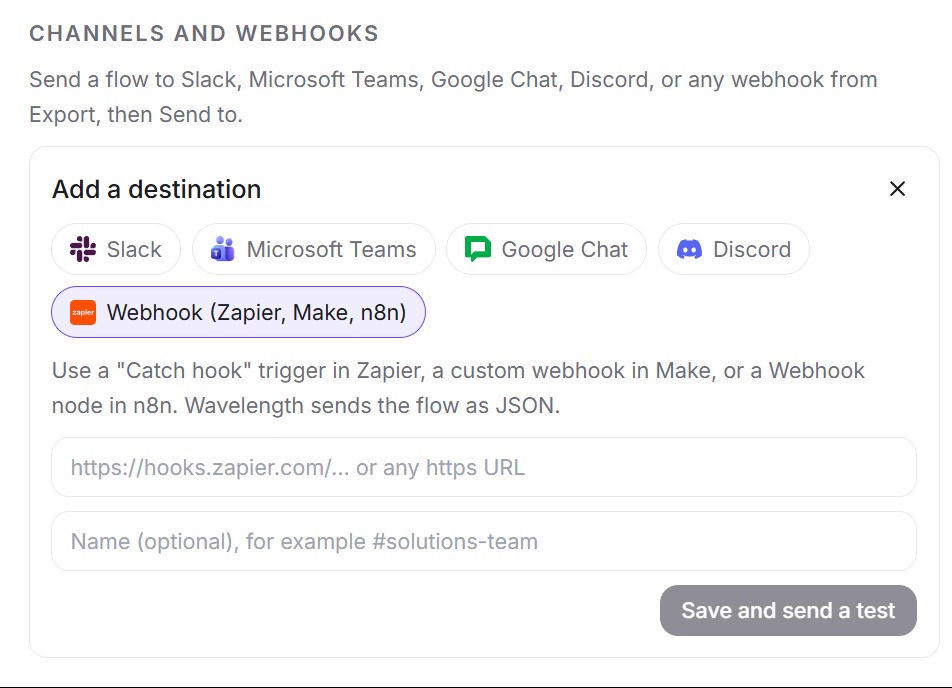
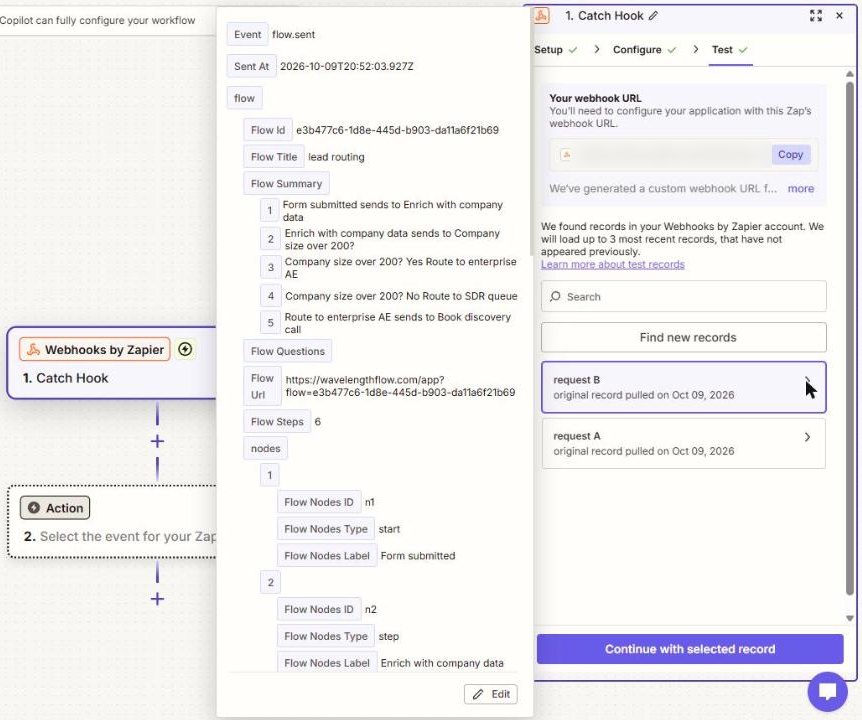
These screenshots come from a real Wavelength account and a Zapier Catch Hook.
How it works
- Create a webhook in your tool and copy its https URL.
- In Wavelength, open Settings, then Channels and webhooks, then Add. Pick Webhook and paste the URL.
- Wavelength sends a test event named wavelength.test.
- On any flow, click Export and pick the webhook under Send to. Wavelength posts the event flow.sent.
Worked example
An AP lead describes invoice approval. You send the flow to your endpoint and receive a POST like this:
{
  "event": "flow.sent",
  "sent_at": "2026-10-10T15:04:00.000Z",
  "flow": {
    "id": "...",
    "title": "Invoice approval",
    "summary": ["AP clerk enters invoice in NetSuite"],
    "questions": ["Does Controller send data to Bank portal?"],
    "url": "https://wavelengthflow.com/app/f/...",
    "steps": 6,
    "nodes": [{ "id": "n_1", "type": "start", "label": "Invoice received" }],
    "edges": [{ "source": "n_1", "target": "n_2", "label": "" }],
    "mermaid": "flowchart TD ..."
  }
}
The request uses Content-Type application/json and the user agent Wavelength-Webhooks/1.0. "steps" is the node count. Wavelength waits up to 10 seconds for a reply.
Who uses this
- Automation builders: Trigger an n8n or Make run from the process you just mapped with the business.
- Solution architects: Feed flows into an internal catalog of systems and integrations.
Security and permissions
Wavelength accepts https URLs on public host names only, on port 443, with no user name or password in the URL. It checks the DNS answer and refuses private addresses. It does not follow redirects.
Each URL is stored encrypted. You can save up to 20 destinations, and sends are limited to 60 per hour per account, tests included. Payloads are not signed, so treat the webhook URL as a secret.
Read the Trust Center and the subprocessor list for how Wavelength handles your data.
Common questions
Does Wavelength support webhooks?
Yes. Wavelength sends a flow as JSON to any public https webhook URL you add in Settings.
What is in the webhook payload?
The event name, a timestamp, and the flow: id, title, summary, questions, link, node count, nodes, edges, and Mermaid code.
How do I check that a request came from Wavelength?
Payloads are not signed. Keep the URL secret, and check for the user agent Wavelength-Webhooks/1.0.
Can I use Wavelength with n8n or Make?
Yes. Point Wavelength at an n8n Webhook node or a Make custom webhook. You can also export a flow as an n8n workflow or a Make blueprint.
Which plans include webhooks?
Every plan, including Free.
 Zapier
 Make
Make