
Integration · Chat and channels
 Wavelength
 Discord
Discord integration
Post the process map to a Discord channel so the team can answer the open questions in one place.
Every plan, including Free. The free plan needs no card.
What you can do
Share a new flow with a client team
Agencies and small teams that run their work in Discord get the flow in the channel they already read. Nobody has to open an attachment.
Collect answers to open questions
The embed lists up to five questions to confirm. Teammates reply in the channel while the call is still fresh.
Keep one channel per client
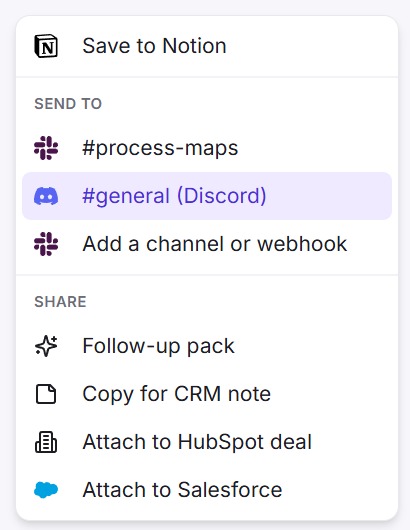
Save a channel for each client or project. Pick the right one from Export, then Send to.
See it in action
These screenshots come from a real Wavelength account and a real Discord server.
How it works
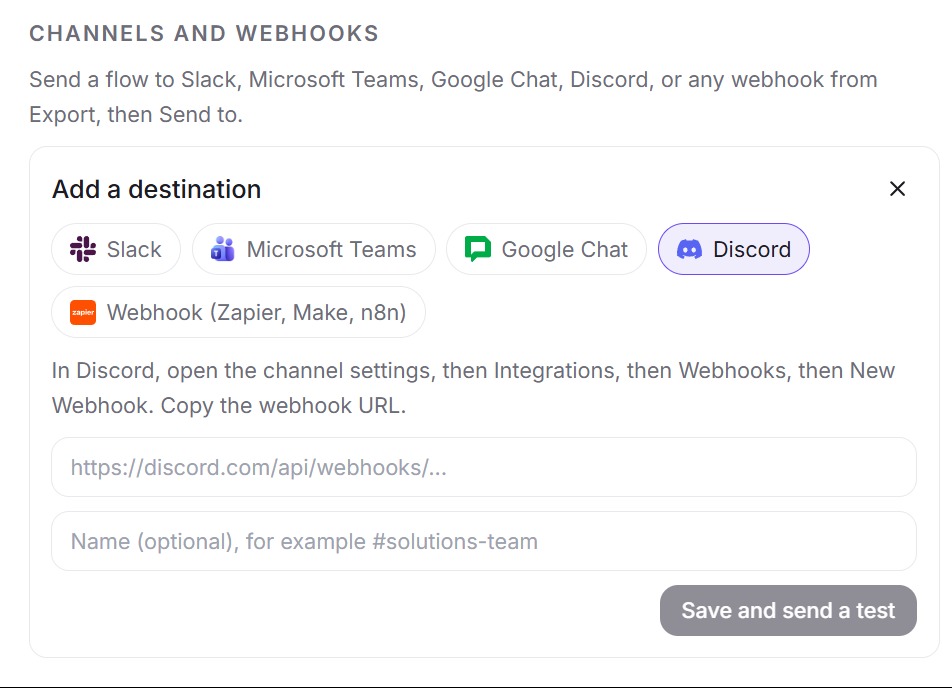
- In Discord, open the channel settings, then Integrations, then Webhooks, then New Webhook. Copy the webhook URL.
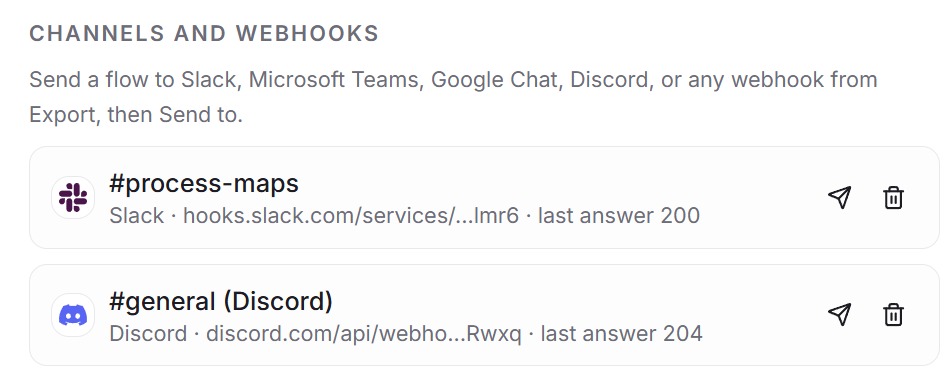
- In Wavelength, open Settings, then Channels and webhooks, then Add. Pick Discord and paste the URL. It must start with https://discord.com/api/webhooks/.
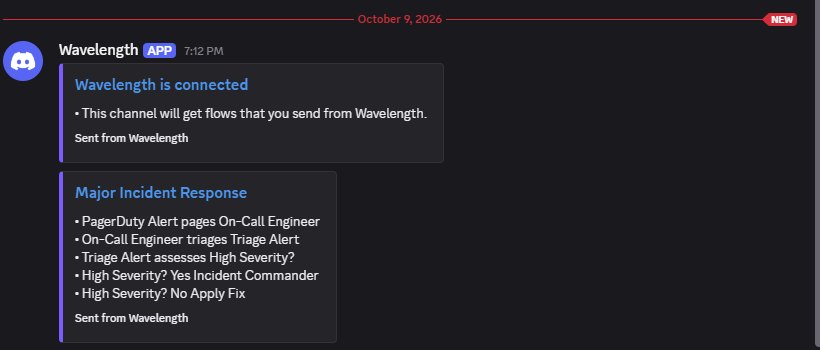
- Wavelength posts a test message titled "Wavelength is connected" to the channel.
- Open a flow, click Export, and pick the channel under Send to. Confirm the send, because the whole channel sees the post.
Worked example
A support lead describes the refund process on a call:
"Refund requests come in through the help desk. Support checks the order in the order database. Under 30 days we refund it. Over that, a manager decides."
What lands in Discord
- A post from the sender name "Wavelength" with a purple embed.
- The embed title, such as "Refund request process". The title links to the flow.
- Summary lines built from the links in the flow, such as "Support checks Order database". Up to five lines.
- "Questions to confirm", one line for each link the AI guessed, such as "Does Support send data to Billing?". Up to five questions.
- The footer "Sent from Wavelength".
Who uses this
- Customer success and implementation: Post the implementation map to the client channel after each working session.
- Operations and SOP writers: Share a new SOP draft and collect fixes from the team in one thread.
Security and permissions
Discord webhooks need no OAuth scopes. A channel webhook can post to one channel. It cannot read messages, members, or other channels.
Wavelength stores the webhook URL encrypted (AES-256-GCM) and uses it only for the flows you send. It accepts only Discord webhook URLs and limits sends to 60 per hour per account. To stop posts, remove the channel in Settings or delete the webhook in Discord.
Read the Trust Center and the subprocessor list for how Wavelength handles your data.
Common questions
Does Wavelength integrate with Discord?
Yes. Wavelength posts a flow to a Discord channel through a channel webhook. Each post is an embed with the title, a summary, the questions to confirm, and a link to the flow.
Can Wavelength read my Discord server?
No. A channel webhook can only post. Wavelength cannot read messages, members, or other channels.
Can a flow go out by mistake?
Wavelength asks you to confirm each send, because everyone in the channel sees the post.
How many channels can I save?
Up to 20 destinations per account, across Discord, Slack, Microsoft Teams, Google Chat, and webhooks.
Which plans include Discord?
Every plan, including Free.
 Slack
Slack Google Chat
 Webhooks