
Integration · AI assistants (MCP)
 Wavelength
 Claude Code
Claude Code integration
Map a system from inside your repo and keep the diagram as a flow your team can edit.
Every plan, including Free. The free plan needs no card.
What you can do
Diagram a service for onboarding
Ask Claude Code to trace a request path. It saves the result as a flow that new engineers can read.
Build a flow from an exact graph
Claude Code can send nodes and edges directly. create_flow_from_graph saves them with no AI call on the Wavelength side.
Keep docs current
Export the flow as Mermaid and commit it to a README or a docs page.
See it in action
These screenshots come from a real Wavelength account and a real Claude Code session on Windows. The repo is a small demo checkout service.

How it works
- Run this command in your terminal: claude mcp add --transport http wavelength https://wavelengthflow.com/api/mcp
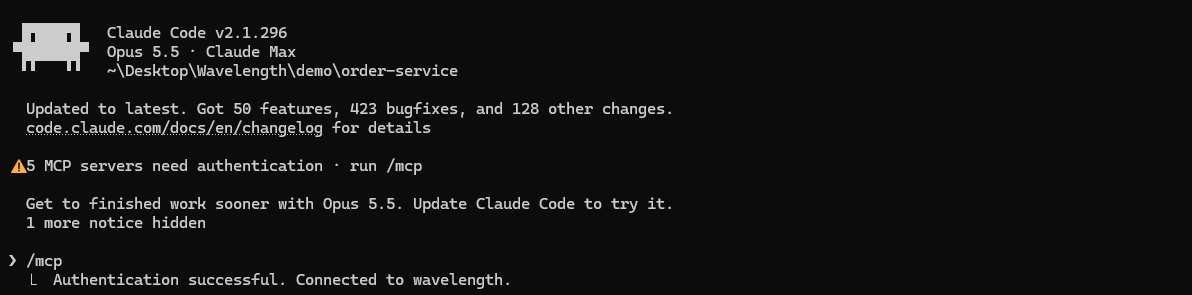
- In Claude Code, type /mcp, select wavelength, and choose Authenticate.
- Sign in with your Wavelength account when the browser opens. Claude Code then shows "Connected to wavelength".
- Ask Claude Code to map a file, a folder, or a code path. It saves the result as a flow in your Wavelength account.
Worked example
In a checkout service repo, you ask:
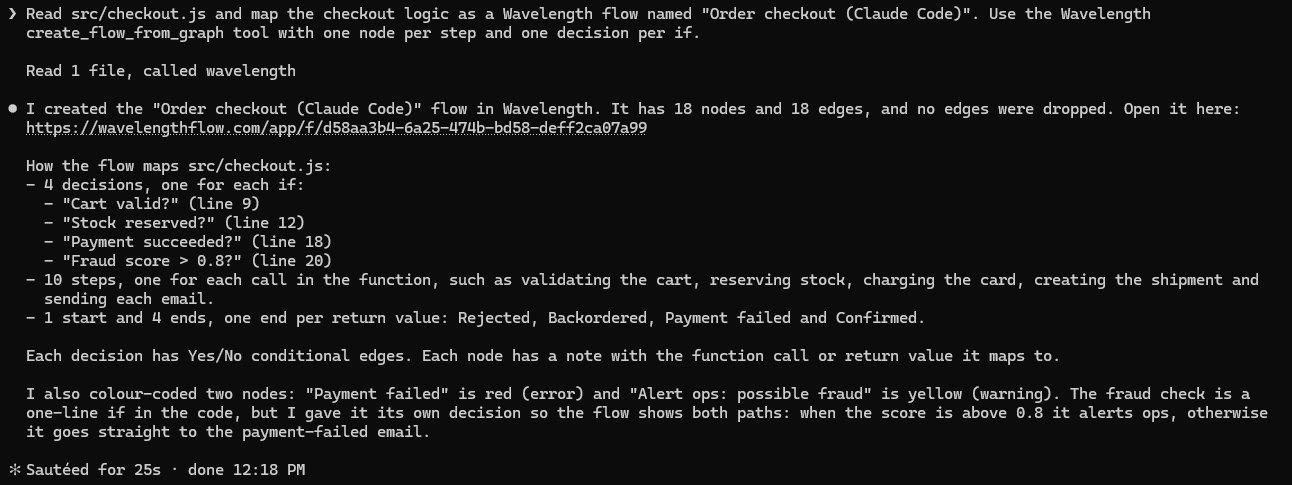
"Read src/checkout.js and map the checkout logic as a Wavelength flow named Order checkout. Use the create_flow_from_graph tool with one node per step and one decision per if."
What lands in Wavelength
- A flow with 18 nodes and 18 links. No links are dropped.
- 4 decisions, one for each if, such as "Cart valid?" and "Payment succeeded?". Each decision has Yes and No links.
- 10 steps, one for each function call, such as reserve stock, charge card, and create shipment.
- 1 start and 4 ends, one end for each return value.
- A note on each node with the function call or the return value that it maps to.
What lands in the repo
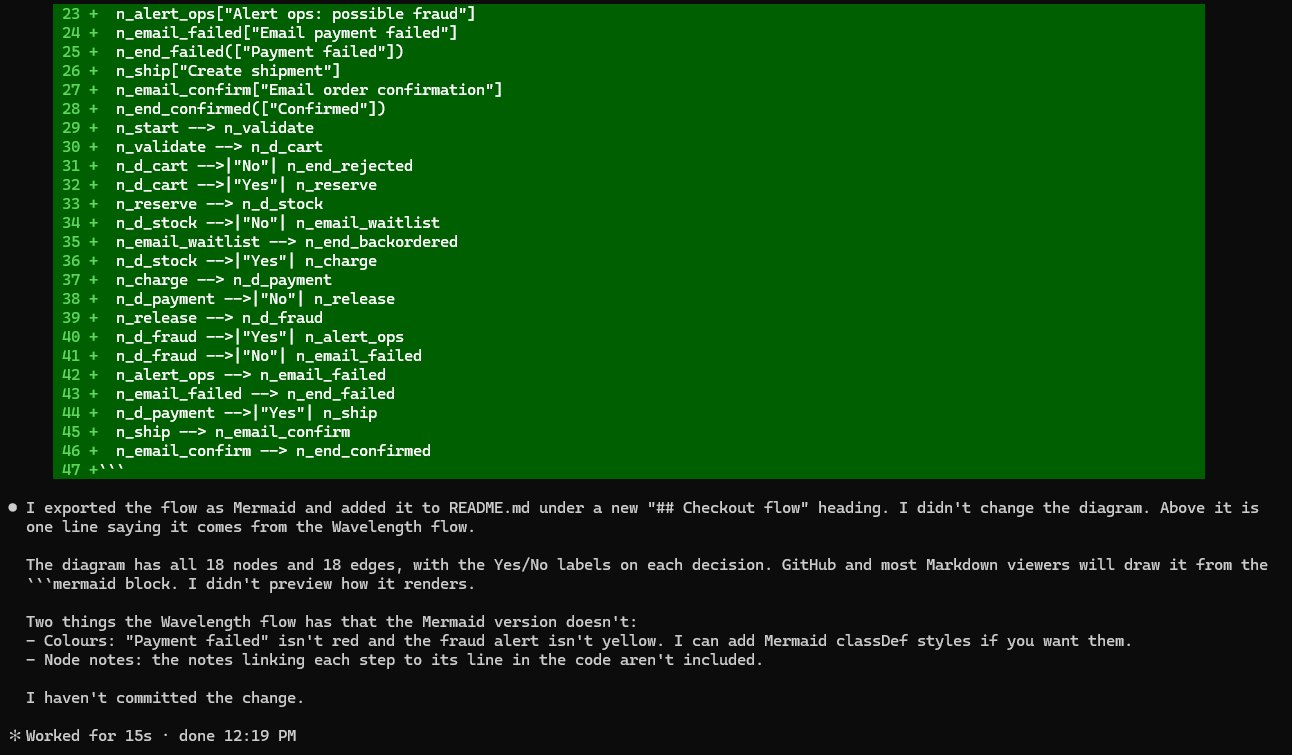
Then you ask Claude Code to export the flow as Mermaid. It adds a mermaid code block to README.md. GitHub draws the diagram from that block. Claude Code does not commit the change until you tell it to.
Who uses this
- Solution architects: Document how services talk to each other without drawing boxes by hand.
- Technical project managers: Get a readable map of a code path before you plan the change.
Security and permissions
Wavelength does not read your code. Claude Code reads it on your machine and sends only the flow text or graph to Wavelength.
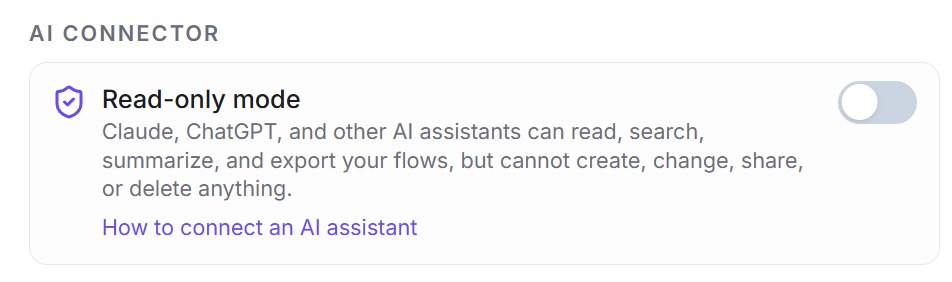
Sign-in uses OAuth, and each tool acts only as you. Read-only mode in Settings, then AI connector, stops all writes.
Read the Trust Center and the subprocessor list for how Wavelength handles your data.
Common questions
Does Wavelength work with Claude Code?
Yes. Add the Wavelength server with one command, then sign in with your Wavelength account.
Does Wavelength read my code?
No. Claude Code reads your code. Wavelength gets only the flow that Claude Code sends.
Can it work without AI on the Wavelength side?
Yes. create_flow_from_graph and update_graph save exact nodes and edges with no AI call.
Does it cost extra?
No. The connector uses your normal Wavelength plan. A free account works.
 Cursor
 VS Code (GitHub Copilot)
 Mermaid